
If you have ever stared at a box of cables and had no idea which one goes where — you are not alone. The USB standard has been updated so many times that most people have a drawer full of cables they cannot identify.
This guide explains every type of USB cable in plain English, what each one is used for, and how to know which one you actually need.

USB-A: The Classic Rectangle
USB-A is the flat, rectangular connector that most people think of when they hear USB. It has been the standard for over two decades and is still found on most wall adapters, laptops, computers, and older cables. USB-A has one key limitation: it only works one way up. It also has a lower data transfer ceiling and power delivery capacity compared to newer standards.
Used for: Older devices, USB-A to USB-C cables, keyboards, mice, flash drives, legacy accessories.
USB-C: The Universal Connector
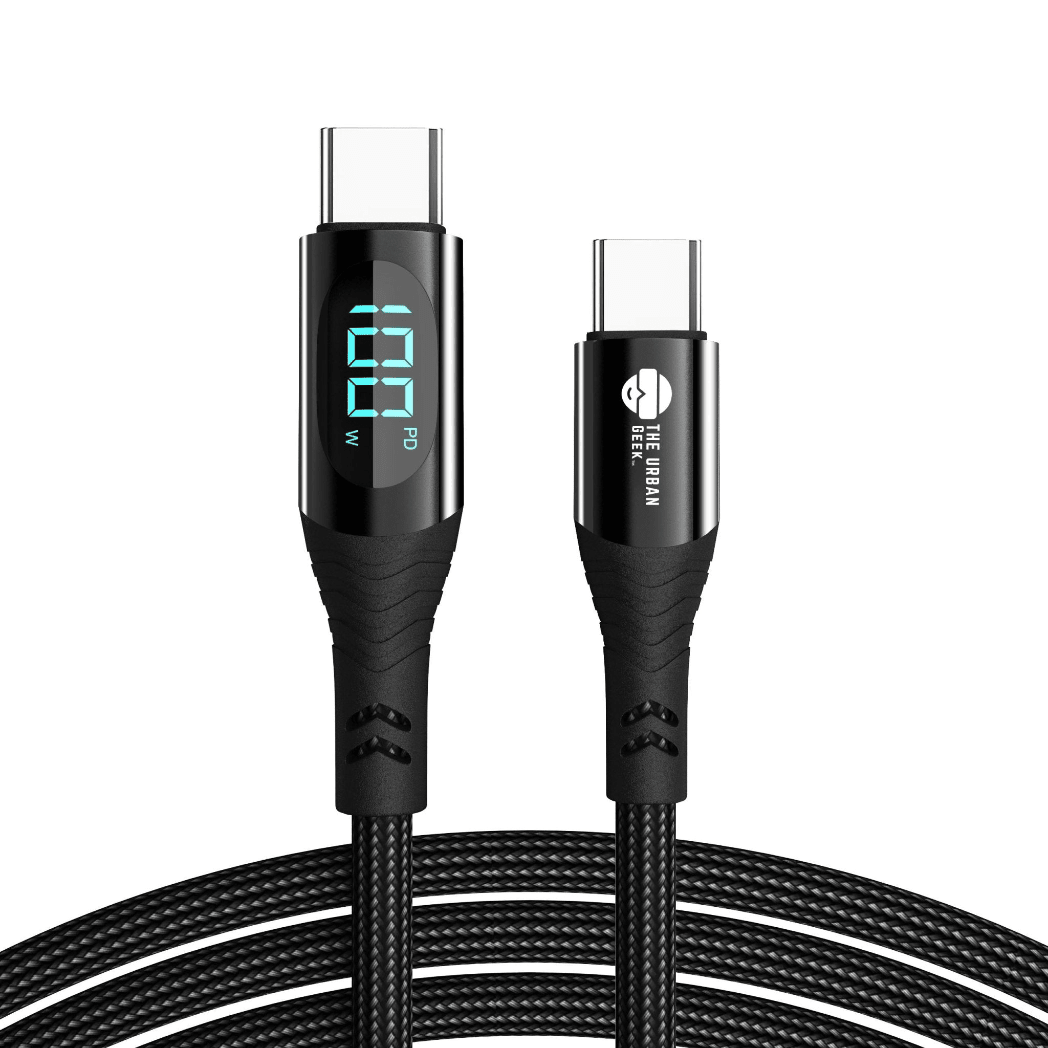
USB-C is the small, oval-shaped connector that has become the modern standard for phones, laptops, tablets, and accessories. Unlike USB-A, USB-C is reversible — it works either way up.
USB-C carries dramatically different amounts of power and data depending on the cable specifications:
- Basic USB-C: 5W to 18W charging, USB 2.0 data speeds
- USB-C with Power Delivery: Up to 100W or 140W charging for laptops
- USB-C 240W: The newest standard — enough to charge the most power-hungry laptops
- USB-C with USB4/Thunderbolt: Up to 40Gbps data transfer and 8K video
The shape looks identical across all these versions, which is why cable specifications matter enormously.
Used for: iPhones 15 and newer, Android phones, MacBooks, Windows laptops, iPads, Nintendo Switch, and most modern accessories.
Shop Link Core USB-C Cables (100W / 140W) →
Shop Link Pro 240W USB-C Cable →
Lightning: Apple's Previous Standard
Lightning is Apple's proprietary connector used on iPhones, AirPods, and accessories produced before the switch to USB-C. Apple replaced Lightning with USB-C starting with iPhone 15 in 2023. However, millions of Lightning devices are still in use and Lightning cables remain essential for anyone with older Apple devices.
Used for: iPhone 14 and earlier, AirPods older generations, iPads older generations.
Shop Link Lightning iPhone Cables (3 Pack) →
Micro-USB: The Old Android Standard
Micro-USB was the dominant smartphone connector before USB-C took over. It is a small trapezoid-shaped connector that only works one way up. Most phones abandoned it between 2017 and 2020, but it still appears on some accessories and older devices.
USB4 and Thunderbolt: The High-Speed Standard
USB4 uses the USB-C connector but operates at dramatically higher speeds — up to 40Gbps for data and 8K video output. USB4 cables look identical to regular USB-C cables on the outside. The difference is internal: the cable contains an E-Marker chip that tells connected devices it can handle higher power and data loads.
Shop Link Pro 240W with Stand — USB4 Compatible →
3-in-1 Cables: One Cable for Every Device
A 3-in-1 charging cable combines USB-C, Lightning, and Micro-USB tips in a single cable — replacing three separate cables with one. This is particularly useful for households and travellers who have multiple devices across different generations.
Quick Reference: Which Cable Do You Need?
| Cable Type | Shape | Best For | Max Power |
|---|---|---|---|
| USB-A | Flat rectangle | Older devices, adapters | ~18W |
| USB-C (basic) | Oval, reversible | Phones, modern devices | 100W+ |
| USB-C 240W | Oval, reversible | Laptops, fast charging | 240W |
| USB4/Thunderbolt | Oval, reversible | 8K video, external SSDs | 240W + 40Gbps |
| Lightning | Small, reversible | Older iPhones, AirPods | 20W |
| Micro-USB | Small trapezoid | Older Android devices | ~18W |
| 3-in-1 | Multiple tips | All devices, travel | Varies |
Does Cable Quality Actually Matter?
Yes — significantly. A cheap cable rated at 240W but lacking an E-Marker chip will either fail to deliver full power or overheat. Quality cables include proper shielding, rated connectors, and the electronic components required to unlock the speeds and wattage they claim.
Read: Why Cable Quality Matters More Than Charger Wattage →
Read More from The Geek Blog
- USB-A vs USB-C: What's the Difference? →
- What is USB-C? →
- What is a 240W USB-C Cable? →
- Shop All Charging Cables →
Frequently Asked Questions
What is the difference between USB-A and USB-C?
USB-A is the flat rectangular connector that has been standard for over 20 years. USB-C is the newer oval reversible connector found on modern phones, laptops, and tablets. USB-C supports much higher charging speeds (up to 240W), faster data transfer, and video output — capabilities USB-A cannot match.
Which USB cable do I need for my iPhone?
iPhone 15 and newer use USB-C. iPhone 14 and earlier use Lightning. If you have a newer iPhone, use a USB-C to USB-C cable for the fastest charging. If you have an older iPhone, you need a USB-C to Lightning or USB-A to Lightning cable depending on your adapter.
Can I use any USB-C cable to charge my laptop?
No. You need a USB-C cable rated for the wattage your laptop requires. Most laptops charge at 65W to 100W — you need a USB-C cable with Power Delivery support at the correct wattage. High-performance laptops may require 140W or 240W. Check your laptop's power requirements before buying.
What is an E-Marker chip in a USB-C cable?
An E-Marker chip is an electronic component embedded in USB-C cables rated at 60W and above. It communicates the cable's actual power and data capabilities to connected devices, enabling safe high-wattage power delivery. Without it, a cable claiming 240W cannot safely deliver that power.
Are all USB-C cables the same?
No — and this is the most important thing to understand about USB-C. All USB-C cables use the same connector shape, but the internal specifications vary enormously. A basic USB-C cable may only support 5W and USB 2.0 data. A premium USB-C cable supports 240W and 40Gbps. The connector looks identical. The performance does not.
What does USB4 mean on a cable?
USB4 is a performance specification built on the USB-C connector. A USB4 cable delivers up to 40Gbps of data transfer speed and supports 8K video output simultaneously with charging. Not all USB-C cables support USB4 — look for it specifically stated in the product specification.
What is the best cable for fast charging a phone?
For the fastest phone charging, use a USB-C to USB-C cable with Power Delivery support, paired with a USB-C PD charger of at least 20W. For iPhone 15 and newer, this combination enables fast charging. For older iPhones, use a USB-C to Lightning cable with a 20W USB-C adapter.
Can I use a Micro-USB cable with a USB-C adapter?
Yes — Micro-USB to USB-C adapters are widely available. However, using an adapter limits you to Micro-USB speeds and power levels even if the device supports USB-C fast charging. For fast charging or data transfer a proper USB-C cable is the better choice.
What cable do I need for an external SSD or hard drive?
For external SSDs and fast data transfer, you want a USB-C cable that supports USB 3.2 Gen 2 or USB4 for maximum speeds. A basic USB-C cable may work for connection but will transfer files at USB 2.0 speeds (480Mbps) rather than the drive's full capability.
Is Lightning faster than USB-C?
No. Lightning is limited to USB 2.0 data speeds (480Mbps) and a maximum of 20W charging. USB-C with Power Delivery supports up to 240W charging and USB4 cables support 40Gbps data transfer — dramatically faster in both charging speed and data transfer compared to Lightning.