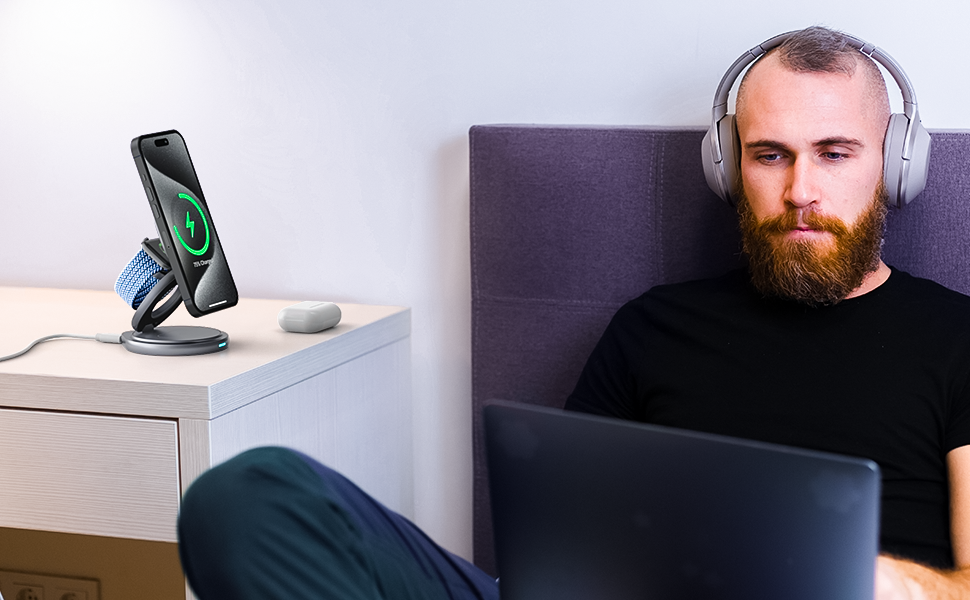

You place your phone on a pad. It starts charging. No cable, no fumbling, no port.
But what's actually happening inside that pad — and inside your phone — when you do that? And why does it sometimes charge at 25W and sometimes crawl at 5W?
This guide explains exactly how wireless charging works, what the different standards mean in practice, which phones support it, and how to get the fastest charge possible from the charger you already own or the one you're about to buy.
No engineering degree required.
The one-sentence answer
Wireless charging uses an invisible magnetic field to move electricity from a charging pad into a coil inside your phone, which converts it into power for your battery — no physical contact needed.
That's the whole thing. Everything else is just details about how fast, how efficiently, and how reliably that magnetic handshake happens.
How wireless charging actually works: step by step
Here's what happens from the moment you set your phone down on a wireless charger to the moment your battery starts climbing.
Step 1 — Power conversion.
Your wall adapter converts AC power from the outlet into DC power the charger can use. This is why the adapter you use matters — an underpowered adapter is the single most common reason wireless charging underperforms.
Step 2 — The charging pad generates a magnetic field.
Inside the wireless charging pad is a copper coil. When DC power flows through it, that coil generates an alternating magnetic field that extends a few millimeters above the surface of the pad.
Step 3 — Your phone picks up the field.
Inside your phone is a second copper coil — the receiver. When you place your phone on the pad, the magnetic field from the charger's coil induces an electric current in your phone's receiver coil. This is called electromagnetic induction, and it's the same principle physicist Michael Faraday described in 1831.
Step 4 — Power negotiation.
Before charging begins, the charger and your phone communicate electronically to agree on safe power levels. Your phone essentially tells the charger: "I can accept X watts at Y voltage." The charger confirms and begins delivering power within those parameters.
Step 5 — Battery charging begins.
The induced current is converted from AC back to DC inside your phone, then regulated by your phone's power management system to safely charge the battery. Overcharge protection, temperature monitoring, and voltage regulation all happen automatically at this stage.
Step 6 — Charge complete.
When your battery reaches 100%, the charger drops to trickle power — delivering just enough to maintain charge without overloading the battery. Modern Qi2 and Qi2.2 chargers do this with significantly better thermal control than older Qi chargers.

Why alignment matters more than most people realize
Here's the part most wireless charging explainers skip over — and it's the most practical thing you can understand about this technology.
Coil alignment is everything. If your phone's receiver coil and the charger's transmitter coil aren't lined up precisely, the efficiency drops dramatically.
Research shows misalignment of even a few millimeters can reduce charging efficiency by 20–30% or more.
That's why you've probably experienced putting your phone on a wireless charger and waking up to find it barely charged — the phone was off-center, the coils weren't lined up, and most of the energy was wasted as heat instead of going into your battery.
This is exactly the problem Qi2 was designed to solve.
Qi, Qi2, and Qi2.2 explained — what actually changed
The Wireless Power Consortium (WPC) manages the standards that govern how wireless chargers communicate with devices. Here's how the three main standards compare in plain terms.
Qi (original standard)
The first universal wireless charging standard. Reliable, widely supported, but with no magnetic alignment system — manual phone placement determines whether you get full charging speed or not. iPhone charging tops out at 7.5W on standard Qi chargers. Android devices vary but typically 5–10W.
Qi2 (introduced 2023)
The game-changer. Qi2 added a Magnetic Power Profile — a ring of magnets that snaps your phone into the correct charging position automatically, every time. This is similar to Apple's MagSafe technology and solves the misalignment problem entirely. iPhone charging speed jumped to a guaranteed 15W. Qi2 also improved energy efficiency and thermal management compared to standard Qi.
Qi2.2 (introduced 2025 — latest standard)
The current state of the art. Qi2.2 pushes wireless charging speeds to 25W — nearly double the 15W of standard Qi2. Competitors describes this as "nearly 70% more power" compared to older 15W systems, bringing wireless charging much closer to wired fast charging speeds for the first time. Qi2.2 also brings stronger magnetic alignment and improved thermal management at higher power levels.
The FlexOrb from The Urban Geek is available in both Qi2 (15W) and Qi2.2 (25W) variants — the only 3-in-1 wireless charger at this price point to offer the latest standard.

What is MagSafe and how does it relate to Qi2?
MagSafe is Apple's proprietary magnetic wireless charging system, introduced with the iPhone 12 in 2020. Apple built a ring of magnets directly into the iPhone that snaps the phone into perfect alignment with MagSafe-compatible chargers and accessories.
Qi2 essentially took the MagSafe concept and made it a universal open standard — available to any manufacturer, on any device, not just Apple products.
The practical result: Qi2 chargers are MagSafe-compatible for iPhone. MagSafe chargers are Qi2-compatible. They use the same magnetic alignment system and the same 15W charging speed for iPhone. Qi2.2 goes a step further with 25W speeds on compatible devices.
If you have an iPhone 12 or newer, any Qi2 or Qi2.2 charger will snap your phone into place magnetically and deliver full charging speed. No Apple-branded charger required.
Does wireless charging work on every phone?
The short answer is: most modern smartphones support it, but not all.
iPhone: Wireless charging supported on iPhone 8 and newer. MagSafe magnetic alignment on iPhone 12 and newer. Full Qi2.2 25W on iPhone 16 and newer.
Samsung Galaxy: Wireless charging on Galaxy S6 and newer, Note 5 and newer, Z Fold and Z Flip all generations. Qi2 magnetic alignment requires a compatible magnetic case since Samsung phones don't have built-in magnets like iPhones. Galaxy S25 and S26 support Qi2.2 on select models.
Google Pixel: Wireless charging on Pixel 3 and newer. Pixel 10 series is among the first major Android devices to support Qi2 natively without needing a magnetic case.
AirPods: Any AirPods with a wireless charging case (AirPods 2 with wireless case, AirPods 3, AirPods Pro all generations, AirPods 4) charge wirelessly on any Qi pad.
Apple Watch: Apple Watch uses a proprietary magnetic charging puck — it charges wirelessly but not on the same Qi coil as your phone. Proper 3-in-1 wireless charging stations include a dedicated Apple Watch puck alongside the Qi2 phone pad.
Quick check: Not sure if your phone supports wireless charging? Look for the Qi logo on your phone's box, check the spec sheet for "wireless charging" or "Qi," or simply try placing it on a wireless pad — a compatible phone will start charging immediately.
Why is my wireless charging slow? The real reasons
This is one of the most searched questions about wireless charging — and the answers are almost always the same four things.
1. Your adapter is underpowered.
This is the most common cause. A 5W or 10W USB-C adapter simply can't supply enough input power for the charger to deliver 15W or 25W output. For Qi2 at 15W, use a 20W+ adapter. For Qi2.2 at 25W, use a 30W+ adapter. The charger and the adapter work as a system — the weakest link limits the whole chain.
2. Your phone isn't centered on the pad.
On standard Qi chargers without magnetic alignment, placement is everything. Even a few millimeters off-center drops efficiency by 20–30%. This is why Qi2's magnetic snapping is such a meaningful upgrade — it eliminates placement guesswork entirely.
3. Your phone case is too thick or has metal components.
Cases over 4–5mm, cases with metal plates, and cases with embedded credit cards or wallet functions all interfere with wireless charging. The magnetic field has a limited effective distance — anything blocking the coil-to-coil connection reduces power transfer. Remove the case if charging feels slow.
4. Heat throttling.
Wireless charging generates more heat than wired charging — that's a physics reality. When your phone detects it's getting too warm, it automatically reduces charging speed to protect the battery. This happens more on hot days, in direct sunlight, or when your phone is running intensive apps while charging. Qi2.2's improved thermal management reduces this problem significantly compared to older standards.
Is wireless charging safe? Is it bad for your battery?
This question comes up constantly — and the honest answer is: no, wireless charging is not bad for your battery when you use a properly certified charger.
Modern Qi2 and Qi2.2 chargers include smart temperature control, overcharge protection, overvoltage protection, and foreign object detection. When your phone reaches 100%, the charger automatically drops to trickle power. When it detects excessive heat, it reduces output. These are hardware-level protections — not software that can be bypassed.
The one scenario where wireless charging can cause battery degradation: cheap, uncertified chargers that don't properly regulate voltage and temperature. This is why CE, FCC, ETL, and TÜV certifications matter on any wireless charger you buy. These are independently tested certifications that confirm the charger operates safely under sustained use.
All Urban Geek wireless chargers carry all four certifications and are UL listed — independently verified, not self-certified.
Read the full breakdown: Is Wireless Charging Bad for Your Phone?
Wireless charging vs wired charging: which is actually faster?
In 2026, Qi2.2 at 25W is genuinely competitive with many wired chargers for everyday use. That said, wired charging still wins on raw speed at higher wattages. Here's the honest comparison:
| Charging method | Typical speed | Best for |
|---|---|---|
| Standard Qi (wireless) | 5–10W | Overnight, all-day desk |
| Qi2 (wireless) | 15W | Desk, nightstand, daily use |
| Qi2.2 (wireless) | 25W | Short top-ups, fast daily charging |
| USB-C wired 20W | 20W | Fast wired charging |
| USB-C wired 45W+ | 45–100W | Fastest possible charging |
For overnight charging, the difference between wireless and wired is irrelevant — your phone will be at 100% either way.
For a 30-minute mid-day top-up, Qi2.2 at 25W is meaningfully faster than standard Qi and close to many wired setups.
For an emergency 0–50% charge as fast as possible, a high-wattage wired GaN charger still wins.
The practical conclusion: wireless charging for everyday top-ups, wired for speed when you need it.
Most people who own a good 3-in-1 wireless charger end up using it for 90% of their daily charging and only reaching for a cable when they're in a hurry.
Which iPhones support wireless charging?
One of the most searched questions in this space — here's the complete list.
Wireless charging (Qi standard): iPhone 8, 8 Plus, X, XS, XS Max, XR, 11, 11 Pro, 11 Pro Max, 12, 12 mini, 12 Pro, 12 Pro Max, 13, 13 mini, 13 Pro, 13 Pro Max, 14, 14 Plus, 14 Pro, 14 Pro Max, 15, 15 Plus, 15 Pro, 15 Pro Max, 16, 16 Plus, 16 Pro, 16 Pro Max, iPhone SE (2nd and 3rd generation)
MagSafe / Qi2 magnetic alignment (15W): iPhone 12 and all newer models listed above
Qi2.2 25W speed: iPhone 16 series and newer
Does iPhone 13 have wireless charging?
Yes — Qi wireless charging and MagSafe magnetic alignment at 15W.
Does iPhone 12 have wireless charging?
Yes — Qi wireless and MagSafe at 15W.
Does iPhone 15 have wireless charging?
Yes — Qi2 at 15W and MagSafe.
Does iPhone XR have wireless charging?
Yes — standard Qi at 7.5W, no MagSafe.
Which AirPods support wireless charging?
Wireless charging supported:
- AirPods (2nd generation) with wireless charging case
- AirPods (3rd generation) — all models
- AirPods (4th generation) — all models
- AirPods Pro (1st and 2nd generation)
- AirPods Max (USB-C model)
No wireless charging:
- AirPods (1st generation)
- AirPods (2nd generation) with standard charging case
Can you charge an Apple Watch on a wireless charger?
Not on the same Qi pad as your phone — Apple Watch uses a proprietary magnetic charging protocol that requires a dedicated Apple Watch charger puck.
You cannot lay an Apple Watch on a standard Qi wireless charging pad and expect it to charge.
What you can do: use a 3-in-1 wireless charging station that includes a built-in Apple Watch charging puck alongside the Qi2 phone pad and AirPods pad.
This is exactly what the FlexOrb and FlexCube are designed for — one charger, three devices, one cable.

The right wireless charger for your setup in 2026
Understanding how wireless charging works is step one. Choosing the right charger is step two.
Here's the fast version:
For iPhone, Apple Watch, and AirPods on your desk or nightstand — you need a 3-in-1 wireless charger with a dedicated Apple Watch puck, Qi2 or Qi2.2 certification, and a built-in stand for StandBy mode. The FlexOrb Qi2.2 Swivel delivers 25W iPhone charging, 7W Apple Watch, and 3.2W AirPods from $68.99 — versus $119–$149 for comparable options from Anker and Belkin.
For travel — you need something that folds flat and packs light without sacrificing Qi2 performance. The FlexCube delivers full Qi2 3-in-1 charging from $49.99 in a pack-flat form factor.
For Samsung Galaxy — the FlexCube Slim is built specifically for the Samsung ecosystem, supporting Galaxy S, Z Fold, Z Flip, Galaxy Watch, and Galaxy Buds. Pair it with The Urban Geek's Samsung Magnetic Case for full Qi2 magnetic alignment.
Every charger in the lineup is CE, FCC, ETL, and TÜV certified — independently tested, not self-declared.
→ Shop Qi2 and Qi2.2 Wireless Chargers
Frequently Asked Questions
What does Qi mean?
Qi (pronounced "chee") is the universal wireless charging standard managed by the Wireless Power Consortium. It's the reason a wireless charger from one brand works with a phone from a completely different brand — they both speak the same Qi language.
How far does wireless charging work?
In consumer applications, effectively zero distance — your phone needs to be on or extremely close to the charging surface, typically within 1–3mm. The magnetic field drops off rapidly with distance, which is why phone cases over 4–5mm thick can interfere. Long-range wireless charging (charging from several centimeters or meters away) is an active research area but not available in consumer products as of 2026.
Does wireless charging work through a phone case?
Yes, for most slim cases under 4–5mm. No, for cases with metal components, metal plates, or embedded cards. When in doubt, remove the case — you'll immediately know if it was the problem.
Does wireless charging work on iPad? Standard Qi wireless charging does not work on iPad as of 2026 — iPads charge via USB-C cable only. This is a common question because AirPods and iPhones charge wirelessly, but iPad is not currently Qi-compatible.
Is wireless charging the same as inductive charging?
Yes. "Wireless charging," "inductive charging," and "electromagnetic induction charging" all refer to the same technology. "Wireless charging" is the consumer term; "inductive charging" is the more technical description of the underlying physics.
Does wireless charging reduce battery life?
Not meaningfully with a certified charger. The heat generated by wireless charging is the main concern — it's slightly more than wired charging. But modern Qi2 and Qi2.2 chargers with proper thermal management keep heat within safe limits, and overcharge protection prevents battery stress at 100%. The bigger risk to battery health is cheap, uncertified chargers that don't regulate temperature properly.
Can you use your phone while it's wirelessly charging?
Yes, freely. The charger maintains the magnetic connection even when you pick up the phone to use it — though if you move it off the pad, charging pauses. Some stands like the FlexOrb's swivel design let you view and use your phone in landscape mode without lifting it off the charger.
Does wireless charging work with Samsung Galaxy?
Yes. Samsung Galaxy phones from the S6 onwards support wireless charging. For Qi2 magnetic alignment on Galaxy S25/S26, a compatible magnetic case is required since Samsung phones don't have built-in magnets like iPhones. The FlexCube Slim is purpose-built for the full Samsung ecosystem.
The bottom line
Wireless charging works through electromagnetic induction — a magnetic field moving energy from a pad into a coil inside your phone. The standards that govern how fast and how reliably that happens have improved dramatically: Qi2 added magnetic alignment, Qi2.2 pushed speeds to 25W, and modern certified chargers have made the technology genuinely safe and practical for daily use.
The questions worth asking before you buy a wireless charger aren't "does wireless charging work?" — it does — but "which standard does it support?", "is it independently certified?", and "does the design match how I actually charge?"
→ Shop The Urban Geek Wireless Chargers — Qi2 and Qi2.2 Certified
Related reading: Qi2 vs Qi2.2 vs MagSafe: What's the Difference? · Best 3-in-1 Wireless Charging Station for iPhone, Apple Watch & AirPods (2026) · Is Wireless Charging Bad for Your Phone?
For the full buying guide, including how to choose between Qi2, Qi2.2, and MagSafe chargers for your setup: → See our Wireless Charging Guide