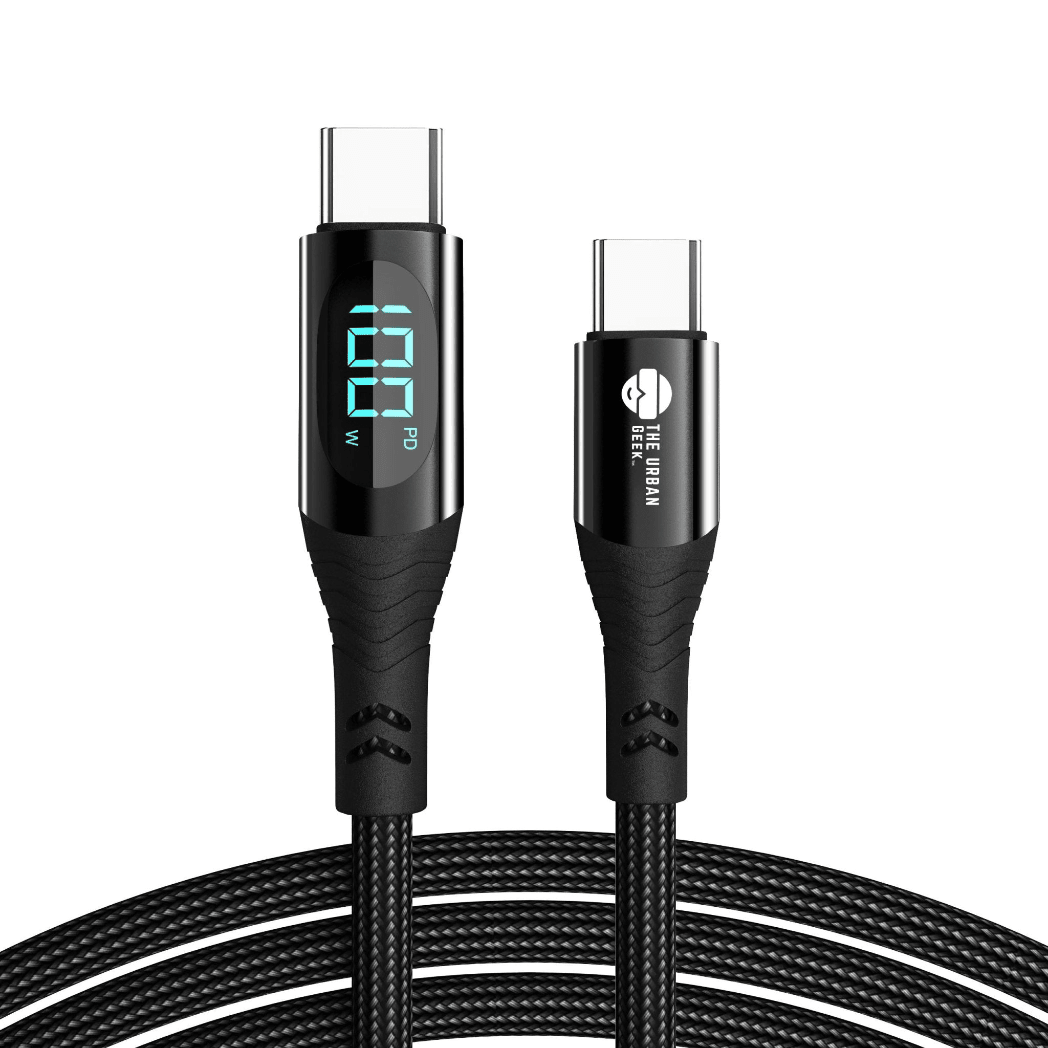

USB-C is on everything now — your phone, your laptop, your tablet, your earbuds, even your car charger. But most people do not actually know what USB-C is beyond its shape. And that gap in knowledge is costing them in slow charging speeds, confused cable purchases, and accessories that do not work as expected.
This guide explains everything about USB-C in plain English — what it is, what it can do, why identical-looking cables perform so differently, and how to buy the right one for your devices.
What USB-C Actually Is
USB-C is a physical connector standard — specifically, the small oval-shaped plug and port that has become the dominant connection type on modern phones, laptops, tablets, and accessories. The “C” refers to it being the third major USB connector shape standard, following USB-A (the large flat rectangle) and USB-B (the square connector found on printers and older devices).
What makes USB-C genuinely different from its predecessors is two things: it is fully reversible (no wrong way to plug it in), and it is a high-bandwidth connector capable of carrying power, data, video, and audio all through the same cable simultaneously.
But here is what most people get wrong: USB-C is a connector shape, not a performance specification. Two cables with identical USB-C connectors can have completely different capabilities depending on what is inside them.
The USB-C Confusion Problem
Walk into any electronics store and you will find dozens of USB-C cables that look completely identical. Same connector. Same oval shape. Often the same braided jacket. But their actual capabilities can vary enormously:
- One cable might support 5W charging and 480Mbps data — barely better than USB 2.0 from 2000
- Another might support 100W charging and 10Gbps data
- A third might support 240W charging, 40Gbps data, and 8K video output simultaneously
The connector looks the same on all three. The performance does not. This is why buying a cheap USB-C cable at a gas station and expecting it to fast charge your laptop is a recipe for disappointment — and potentially a safety issue at higher wattages.
USB-C Power Delivery: How Charging Actually Works
USB-C Power Delivery (PD) is the protocol that governs how much power a USB-C charger and cable can safely deliver to a device. When you plug in, the charger and device have a rapid electronic conversation — the device says how much power it needs, the charger says how much it can deliver, and they agree on a safe level. Your cable needs to be rated to carry that agreed power level.
Here is how the wattage tiers break down in real use:
| Wattage | What it charges | Charge time example |
|---|---|---|
| 5W | Slow phone charging | iPhone 0→100% in 3+ hours |
| 18W–20W | Fast phone charging | iPhone 0→50% in ~30 min |
| 30W | Tablets, fast phones | iPad Air 0→80% in ~1 hour |
| 65W–100W | Most laptops | MacBook Air 0→100% in ~1.5 hours |
| 140W | MacBook Pro, high-end laptops | MacBook Pro 16" 0→80% in ~45 min |
| 240W | Gaming laptops, power users | Replaces all proprietary laptop chargers |
The device always controls the power intake. Plugging a 140W charger into a phone that supports 20W will deliver exactly 20W — no damage, no overcharge. The higher the charger wattage, the more devices it can handle at full speed.
Shop PowerPort 100 — 4-Port 100W USB-C Adapter →
Shop PowerPort 30 — Compact 30W USB-C Adapter →
USB-C Data Transfer Speeds
USB-C cables also vary widely in how fast they transfer data. This only matters when you are moving files — it has no effect on charging speed — but it is significant if you use external drives, SSDs, or cameras.
| Standard | Max Speed | Real-world use |
|---|---|---|
| USB 2.0 | 480Mbps | Basic cables, most cheap USB-C cables |
| USB 3.2 Gen 1 | 5Gbps | Standard external drives |
| USB 3.2 Gen 2 | 10Gbps | Fast external SSDs |
| USB 3.2 Gen 2x2 | 20Gbps | High-speed storage arrays |
| USB4 | 40Gbps | Thunderbolt docks, 8K displays |
A budget USB-C cable from a discount retailer almost always runs at USB 2.0 speeds — 480Mbps — regardless of what the packaging implies. That means transferring a 10GB video file takes over 3 minutes instead of the 2 seconds a USB4 cable provides.
USB-C Video Output
One of the most underappreciated capabilities of USB-C is video output. USB-C ports that support DisplayPort Alt Mode can drive an external monitor directly — no separate HDMI or DisplayPort cable needed. Some USB-C ports support Thunderbolt, which adds even higher video bandwidth.
A single USB-C cable can simultaneously:
- Charge your laptop at full speed
- Output 4K video to an external monitor
- Transfer data to an external drive
Not all USB-C ports support video output — check your laptop's specifications. And not all USB-C cables carry video — a cable must specifically support DisplayPort Alt Mode or Thunderbolt for video to work through it.
What is an E-Marker Chip and Why Does It Matter?
Any USB-C cable rated at 60W or above is required by the USB specification to contain an E-Marker chip. This is a tiny electronic component embedded in the connector housing that communicates the cable's actual capabilities — maximum wattage and data speed — to connected devices.
Without a valid E-Marker chip, devices will not negotiate power delivery above 60W regardless of what the cable packaging claims. A cable claiming 240W without an E-Marker will either cap at 60W or, in the case of very cheap counterfeit cables, attempt to deliver higher power unsafely.
All Link Core and Link Pro cables from The Urban Geek include the appropriate E-Marker certification and correct conductor gauge for their stated wattage rating.
Shop Link Core USB-C Cables (100W / 140W) →
Shop Link Pro 240W USB-C Cable →
Which Devices Use USB-C?
Smartphones: All Android phones since approximately 2017, iPhone 15 and newer (Apple switched from Lightning to USB-C in 2023)
Laptops: All MacBooks since 2016, most modern Windows ultrabooks, Chromebooks, and business laptops. Budget laptops may still use USB-A for charging.
Tablets: iPad Pro and iPad Air (USB-C), most Android tablets
Audio: Many wireless earbuds and headphones now charge via USB-C rather than Micro-USB
Gaming: Nintendo Switch charges via USB-C. PlayStation 5 DualSense controller charges via USB-C.
Accessories: Most modern USB hubs, docks, monitors with USB-C input, and portable SSDs
USB-C vs Thunderbolt: What is the Difference?
This causes significant confusion. Thunderbolt 3 and Thunderbolt 4 use the USB-C connector physically, but they are not the same thing as USB-C.
Think of it this way: all Thunderbolt 4 ports are USB-C ports, but not all USB-C ports are Thunderbolt 4. Thunderbolt adds Intel's proprietary protocol on top of USB-C's physical connector, enabling 40Gbps data, daisy-chaining up to six devices, and guaranteed 100W power delivery.
A standard USB-C cable works in Thunderbolt ports for charging and basic data. But to get full Thunderbolt 40Gbps speeds and video output through a Thunderbolt dock, you need a Thunderbolt or USB4 certified cable — like the Link Pro 240W.
How to Know if Your USB-C Cable is Fast Enough
Most USB-C cables do not prominently display their actual specifications. Here is what to look for:
- Look for wattage on the packaging or cable itself: 60W, 100W, 140W, or 240W indicates Power Delivery capability
- Look for USB speed markings: USB 3.2 Gen 2, USB4, or Thunderbolt logos indicate high-speed data support
- Avoid cables with no specifications listed: If the packaging only says “USB-C cable” with no wattage or speed, assume it is a basic USB 2.0 cable
- Check cable thickness: Higher-gauge cables that support 100W+ are visibly thicker than basic 5W cables due to the heavier internal conductors
The Urban Geek USB-C Cable Range
The Link Core USB-C cable supports up to 140W Power Delivery with USB 3.2 data speeds — the right choice for most laptops, phones, and tablets. The Link Pro 240W adds 240W PD and USB4 40Gbps support for the most demanding setups including gaming laptops, Thunderbolt docks, and 8K displays.
Shop all USB-C cables from The Urban Geek →
Read More from The Geek Blog
- Types of USB Cables Explained →
- USB-A vs USB-C: What's the Difference? →
- What is a 240W USB-C Cable? →
- What is USB4? →
Frequently Asked Questions
Why do some USB-C cables charge slowly?
Basic USB-C cables only support USB 2.0 and 5W to 18W charging regardless of the charger's wattage. To fast charge, you need a USB-C cable that specifically supports Power Delivery at the required wattage. Always check the cable's specification, not just the connector shape.
Is USB-C the same as Thunderbolt?
No, but they are related. Thunderbolt 3 and 4 use the USB-C connector, but Thunderbolt cables carry additional specifications beyond standard USB-C. A USB4 cable supports Thunderbolt 3 and 4 compatibility. Standard USB-C cables do not support full Thunderbolt speeds.
Can I plug USB-C in upside down?
Yes — USB-C is fully reversible. Either orientation works every time. This is one of its most practically appreciated improvements over USB-A and Lightning, both of which only work one way up.
Why are there so many different USB-C cables if they all look the same?
The USB-C connector is a shape standard, not a performance standard. The same oval connector can carry 5W or 240W, 480Mbps or 40Gbps, depending entirely on internal construction. This causes widespread confusion because manufacturers are not required to label cables clearly.
What USB-C cable do I need for my MacBook?
MacBook Air charges at 30W to 67W depending on the model. MacBook Pro charges at up to 140W on the 16-inch model. You need a USB-C cable with Power Delivery rated to at least your MacBook's wattage requirement. The Link Pro 240W cable supports all MacBook models at full speed.
Does USB-C work for video output?
Yes — USB-C ports that support DisplayPort Alt Mode or Thunderbolt can drive external 4K and 8K monitors. Not all USB-C ports or cables support video output — check that both your port and cable specifically support DisplayPort or Thunderbolt if video output is your goal.
What is USB-C Power Delivery?
USB-C Power Delivery (PD) is the protocol that allows USB-C chargers and devices to negotiate exactly how much power to transfer. The device requests what it needs, the charger offers what it can deliver, and they agree on a safe level. This is what enables USB-C to safely charge everything from a 5W phone to a 240W gaming laptop through the same connector type.
Can one USB-C cable charge both my phone and my laptop?
Yes — if the cable is rated for the laptop's wattage requirement. A 100W or 140W USB-C cable works with both your phone (which will charge at whatever speed it supports) and your laptop (which will charge at full speed up to the cable's rating). The Link Core 140W cable handles both in one.