
Working from home sounds peaceful until your neighbor starts mowing the lawn during your most important client call of the week. The right wireless headphones do two things for work-from-home setups: they keep your environment quiet so you can focus, and they make sure the person on the other end of every call hears your voice clearly.
The Two Things That Actually Matter for WFH Headphones
1. ANC for your listening environment: When you are trying to focus on a call or deep work, outside noise is the enemy. The right ANC headphones reduce the sounds of your household — kitchen noise, street traffic, construction, family members — without requiring you to blast your volume. This protects both your concentration and your hearing.
2. ENC microphone for your call clarity: The person you are calling does not care how quiet your environment sounds to you. ENC (Environmental Noise Cancellation) microphone technology filters background noise from your outgoing audio so your voice comes through clean — even if there is chaos around you. This is what separates a professional-sounding call from one where colleagues hear your dog barking.
Most people shopping for WFH headphones focus entirely on ANC. They end up with headphones that sound great to wear but still sound terrible on Zoom because the microphone is poor. The fix is simple: look for both ANC and ENC. One protects your focus; the other protects your professional image.
ANC vs ENC: Why You Need Both for Work
| Technology | What it does | Who benefits |
|---|---|---|
| ANC | Reduces noise you hear | You — focus and comfort |
| ENC | Reduces noise your mic sends | Your colleagues — call clarity |
A remote worker who takes calls from a home office needs ANC to stay focused between calls and ENC to sound professional during them. Headphones with only ANC leave you sounding noisy to others; headphones with only ENC leave you distracted by your environment. The combination is what makes a headset genuinely work-ready.
What to Look for in Work-From-Home Headphones
- Hybrid ANC — minimum 30dB: Hybrid ANC covers the wider range of home and office frequencies, from low HVAC hum to mid-range household chatter.
- ENC microphone: Non-negotiable for video calls. Look for “dual-mic ENC” or “AI noise suppression” in the specifications.
- Comfortable for 6+ hours: Memory foam cushioning and an adjustable headband matter enormously when you wear headphones through a full workday of back-to-back meetings.
- Bluetooth 5.0 or newer: For a stable connection that does not drop mid-call — the most embarrassing failure mode in a meeting.
- Multipoint Bluetooth: Lets the headphones stay connected to your laptop and phone simultaneously, switching automatically when your phone rings.
- Battery life of 20+ hours: Multiple workdays per charge so you are never caught with dead headphones mid-meeting.
- USB-C charging: The same cable as your laptop and phone — one less thing to manage on your desk.
Why the Groove Pro Works for WFH
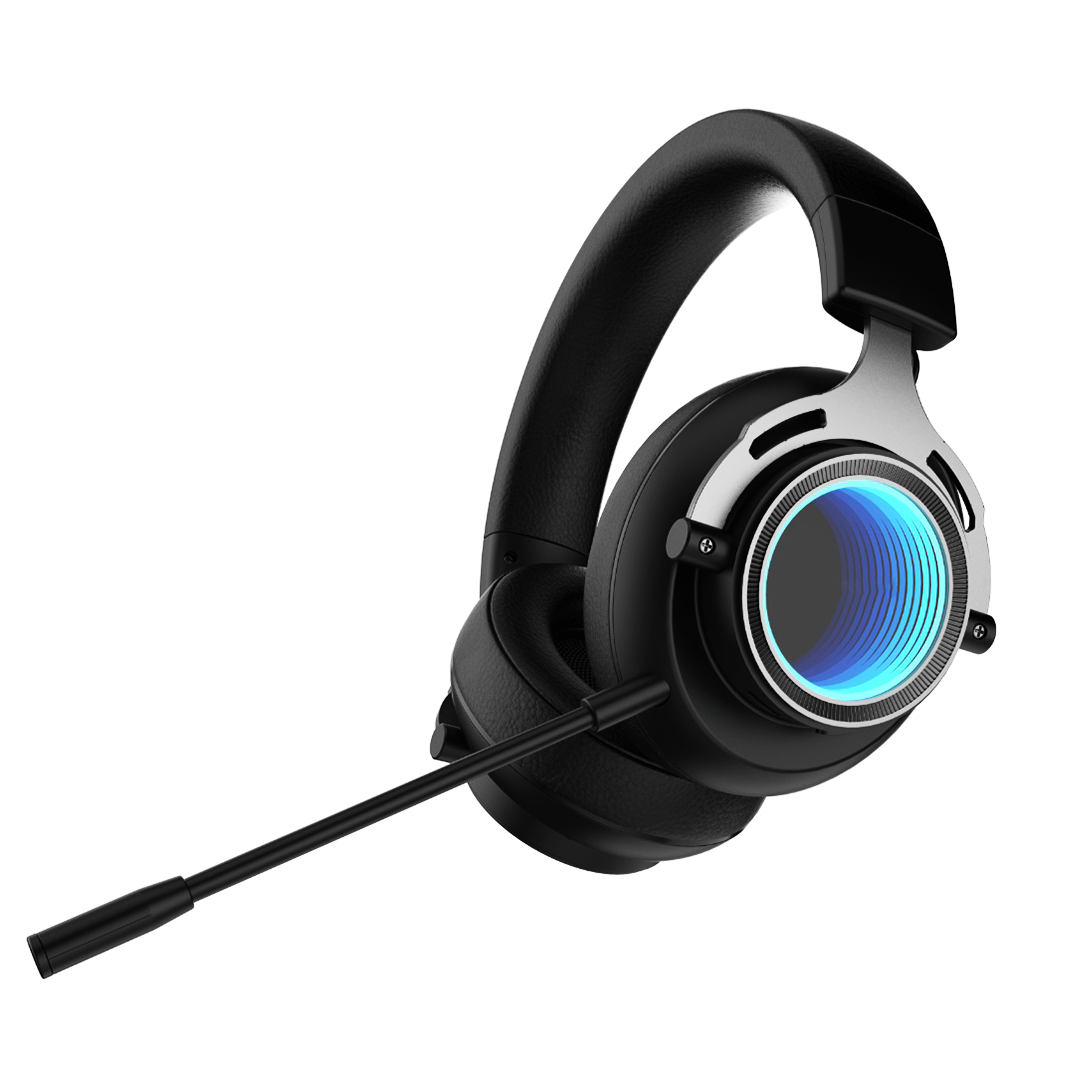
The Groove Pro wireless headphones hit every one of these requirements:
- Hybrid ANC up to 38dB for deep focus and quiet between calls
- Built-in ENC microphone for clear voice transmission on video calls
- 40mm drivers for balanced sound across calls, music, and media
- Up to 30 hours battery — multiple full workdays per charge
- Bluetooth 5.3 with stable, fast-pairing connection
- USB-C charging
- Cushioned over-ear design built for all-day wear
Over-Ear vs Earbuds for All-Day Work
For occasional calls, earbuds with ENC are perfectly adequate and more discreet on camera. But for all-day wear — 6 to 8 hours of meetings and focused work — over-ear headphones are generally far more comfortable. In-ear earbuds create pressure in the ear canal that becomes uncomfortable after 3 to 4 hours, while over-ear cups rest around the ear. Over-ear models also typically offer longer battery life and better microphone placement for calls.
If you split your day between desk work and moving around the house, a hybrid approach works well: over-ear headphones for long meeting blocks, earbuds for quick calls while making coffee.
WFH Headphone Setup Tips
Connect to both your laptop and phone simultaneously. Modern Bluetooth headphones support multipoint connection — staying paired to two devices at once. When your phone rings while you are working on your laptop, your headphones switch the audio automatically and switch back when the call ends. This eliminates the constant manual re-pairing that wastes time throughout the day.
Position yourself for good call audio. Even with ENC, sitting in a room with hard surfaces and echo affects how you sound. Soft furnishings, a rug, or even a bookshelf behind you reduces echo and improves your call audio quality.
Pair with a clean charging setup. A wireless charging stand on your desk keeps your phone charged and visible (for two-factor codes and notifications) without cable clutter. Combined with USB-C headphones charging from the same multi-port adapter, your desk stays organized with a single power source.
Build a clean desk charging setup →
Read More from The Geek Blog
- ANC vs ENC: What's the Difference? →
- What is Hybrid ANC and Why Does It Matter? →
- Best Headphones for Flying →
- Wireless Audio Guide →
Frequently Asked Questions
What is the most important feature for WFH headphones?
ENC microphone quality — the person on the other end of your calls cannot benefit from your ANC. ENC filters noise from your outgoing audio so colleagues hear your voice clearly regardless of your environment. Most people focus only on ANC and end up sounding poor on calls despite an excellent personal listening experience.
How many hours of battery do I need for working from home?
Aim for 20 hours minimum with ANC active. A full workday of meetings and focused work runs 6 to 8 hours. 20 hours gives comfortable multi-day margin so you are never caught with dead headphones mid-meeting. The Groove Pro's 30-hour life covers most of a work week per charge.
Can wireless headphones connect to both my laptop and phone at the same time?
Many modern wireless headphones support multipoint Bluetooth — staying paired to two devices simultaneously. When your phone rings while you are connected to your laptop, the headphones switch automatically. This is one of the most useful WFH features and worth confirming before purchase.
Are over-ear headphones better than earbuds for all-day WFH use?
For all-day wear of 6 to 8 hours, over-ear headphones are generally more comfortable. In-ear earbuds can cause ear canal fatigue and pressure after 3 to 4 hours. The Groove Pro's cushioned ear cups are specifically designed for extended wear through long meeting days.
Should I turn ANC off during calls?
No need. ANC affects what you hear, not what your colleagues hear. You can leave ANC on during calls for your own listening comfort — it does not affect your microphone output. ENC handles the outgoing audio independently of your ANC setting.
Do I need a dedicated headset or will regular headphones work for calls?
Regular wireless headphones with a good built-in ENC microphone work well for most WFH calls — you do not need a call-center-style headset with a boom mic. The key is confirming the headphones have ENC microphone processing. The Groove Pro includes this, covering both calls and music in one device.
Why do I sound echoey on calls even with good headphones?
Room acoustics affect your outgoing audio. A room with hard surfaces and minimal furniture creates echo that ENC cannot fully remove. Adding soft furnishings, a rug, curtains, or a bookshelf behind you absorbs sound reflections and noticeably improves how you sound to others.